Lighting Tips for Professional Video Podcasts:

In the world of video podcasts, lighting is just as important as audio. Even if your content is engaging and your audio crystal clear, poor lighting can make your video appear amateurish, distract viewers, and reduce audience retention. Proper lighting enhances facial expressions, creates depth, and sets the tone for your show. Whether you’re recording in a home studio or professional setup, understanding the principles of podcast lighting is essential for producing visually appealing content.
1. Understand the Importance of Lighting
Good lighting serves several key purposes:
-
Visibility: Ensures your face and expressions are clear and engaging.
-
Consistency: Maintains a uniform look across episodes, building a professional brand image.
-
Mood and tone: Different lighting setups can create a warm, energetic, or intimate atmosphere.
-
Camera performance: Proper lighting reduces grain and noise in your video footage, making editing easier.
Without proper lighting, even the best camera may produce flat or unflattering images.
2. Use Three-Point Lighting
Three-point lighting is a standard setup in video production and works beautifully for video podcasts.
Components:
-
Key Light: The primary light source illuminating your face. Position it at a 45-degree angle from your camera to highlight your features naturally.
-
Fill Light: Reduces shadows created by the key light. Place it on the opposite side of the key light, at a lower intensity.
-
Back Light (Hair/Accent Light): Positioned behind you to create separation from the background, adding depth and a professional look.
Tip: Use soft, diffused lights instead of harsh direct light to avoid unflattering shadows or highlights.
3. Choose the Right Light Type
Several lighting options work for video podcasts:
-
Softbox lights: Produce soft, even light that is easy on the eyes. Ideal for key and fill lights.
-
Ring lights: Provide uniform, shadow-free illumination for solo hosts and interviews. Best for close-up shots.
-
LED panels: Adjustable brightness and color temperature make them versatile for multiple setups.
-
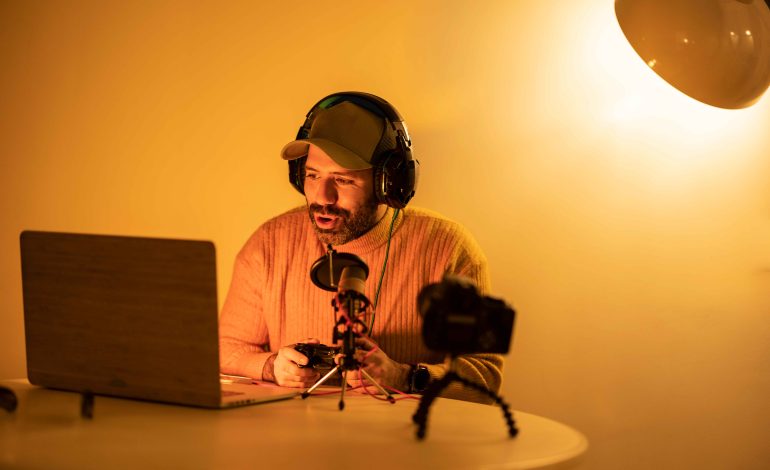
Practical lights: Lamps or ambient lighting in the background can add depth and mood.
Tip: Avoid relying solely on overhead room lighting, as it can cast unflattering shadows under the eyes and nose.
4. Pay Attention to Color Temperature
Color temperature affects how natural your video looks.
-
Daylight-balanced lights (5000–6500K): Neutral, clean, and professional.
-
Warm lights (2700–3500K): Create a cozy, intimate vibe but may appear yellow on cameras.
Pro tip: Match all your lights to the same color temperature to prevent mixed lighting and awkward skin tones.
5. Control Background and Accent Lighting
Your background contributes to the overall aesthetic of your video podcast:
-
Use accent lights to highlight elements like bookshelves, plants, or decorative panels.
-
Avoid distracting light sources directly behind you that can cause lens flare or silhouette effects.
-
Consider using LED strips or RGB lights for subtle color effects that match your brand tone.
Tip: Keep background lighting softer than your key light to maintain focus on the host.
6. Position Lights for Optimal Shadows
Lighting placement affects how shadows fall on your face:
-
Key light slightly above eye level creates natural shadows that define facial features.
-
Fill light at or slightly below eye level softens harsh shadows without flattening your face.
-
Avoid placing lights too low, as this produces “horror lighting” with dramatic upward shadows.
Pro tip: Adjust lights while monitoring through your camera to see exactly how shadows appear on video.
7. Diffuse Your Lights
Diffusing your lights softens harsh highlights and creates more flattering, natural-looking skin tones.
-
Use softboxes, diffusion panels, or umbrellas to scatter light evenly.
-
DIY options like white bedsheets or tracing paper can work in small home studios.
-
For ring lights, use a built-in diffuser or attach a translucent cover to soften light.
8. Test and Adjust for Your Space
Every recording space is different, so testing is essential:
-
Record short test clips to check how your lighting looks on camera.
-
Adjust distance, angle, and intensity for each light to minimize shadows and glare.
-
Take note of the setup for consistency across future episodes.
Pro tip: Even small changes, like moving a light a few inches, can dramatically improve the look.
9. Maintain Consistency Across Episodes
Consistency is key to a professional look:
-
Keep lights in the same position for every recording.
-
Document your setup with diagrams or photos for reference.
-
Check color temperature and intensity before every recording session.
Conclusion
Lighting is a crucial factor in producing professional-quality video podcasts. By understanding the principles of three-point lighting, selecting the right lights, controlling color temperature, diffusing light, and testing placements, podcasters can create visually appealing videos that enhance content, engage viewers, and build a polished brand image.
Whether you record in a home studio or professional setup, investing time in proper lighting will elevate your video podcast and ensure every episode looks as professional as it sounds.